An iPhone app for stock footage contributors
What your footage earned, and when you’ll be paid.
Payday reads your own BlackBox Global account and lays out your sales and payouts on your phone. Check it on the train and you know how the month is going.
 Coming soonOn the App Store
Look around with sample data
Coming soonOn the App Store
Look around with sample data
Free. No subscription, ads or in-app purchases.
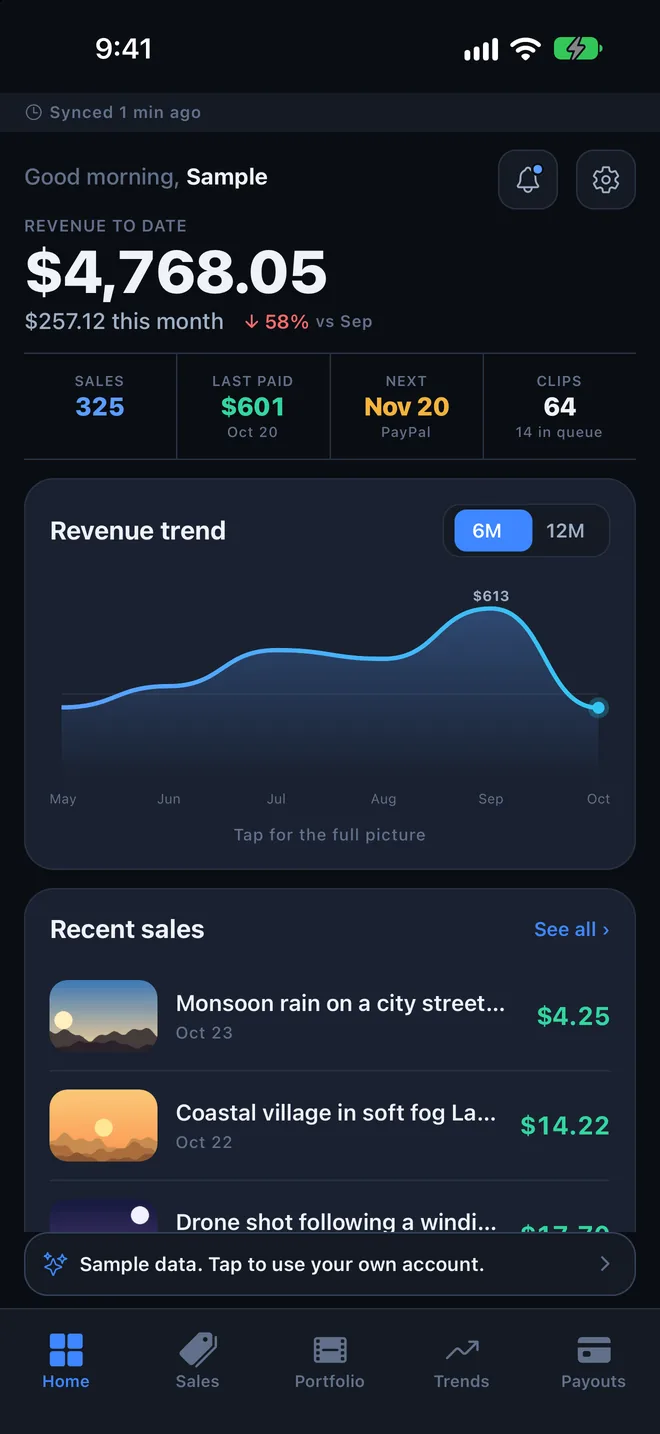
Five tabs: Home, Sales, Portfolio, Trends and Payouts.
Sign in once with your own BlackBox account. Payday gathers everything and keeps a copy on the phone, so the numbers are still there when you are offline.
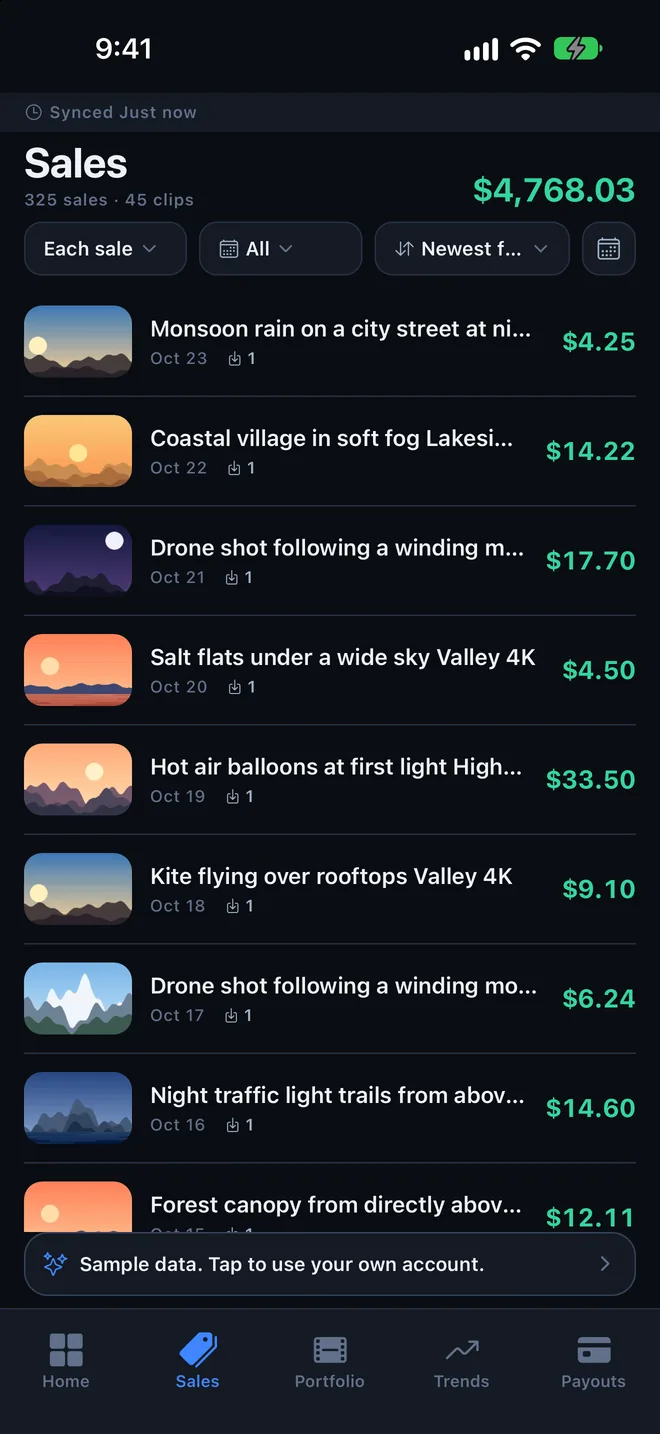
Every sale, clip by clip
Which clip sold, on which day, and what it earned after the fee. Group by clip to see which ones keep paying.
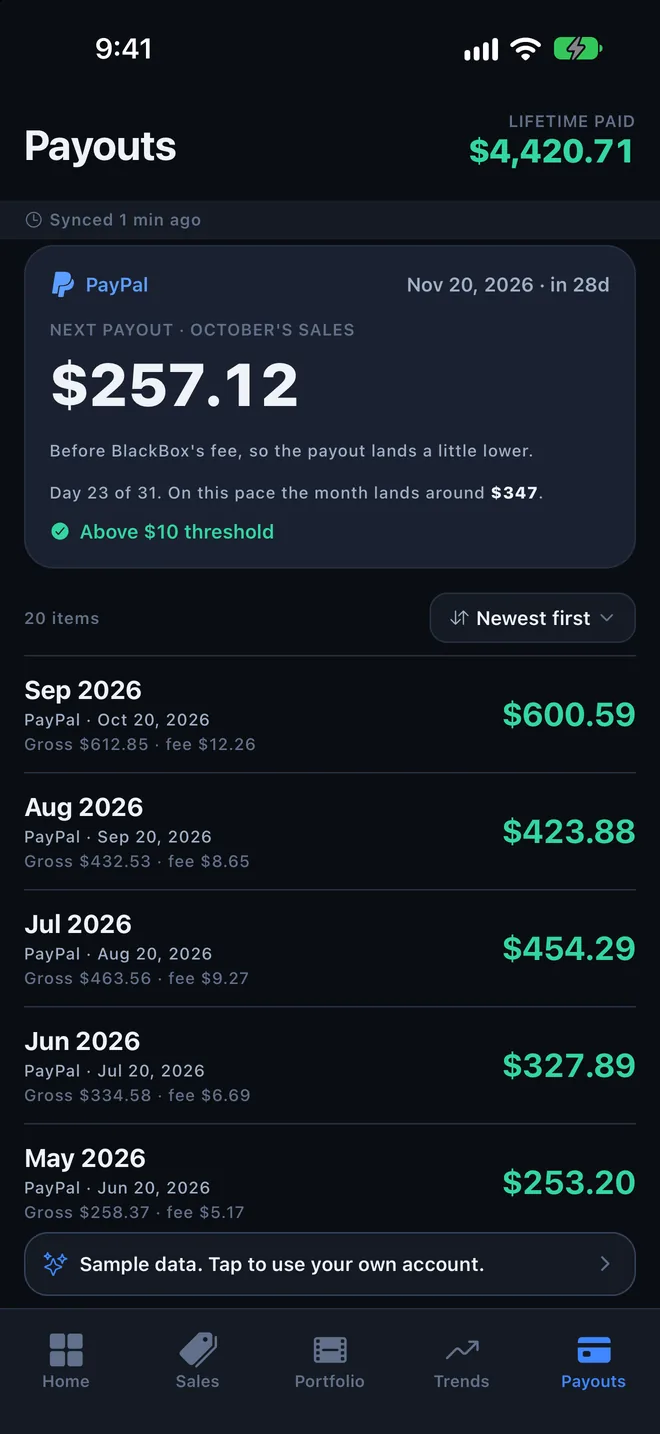
The next payout, worked out
Every payout so far, plus what the next one should be and the day it should arrive. A month under the $10 minimum rolls into the next.
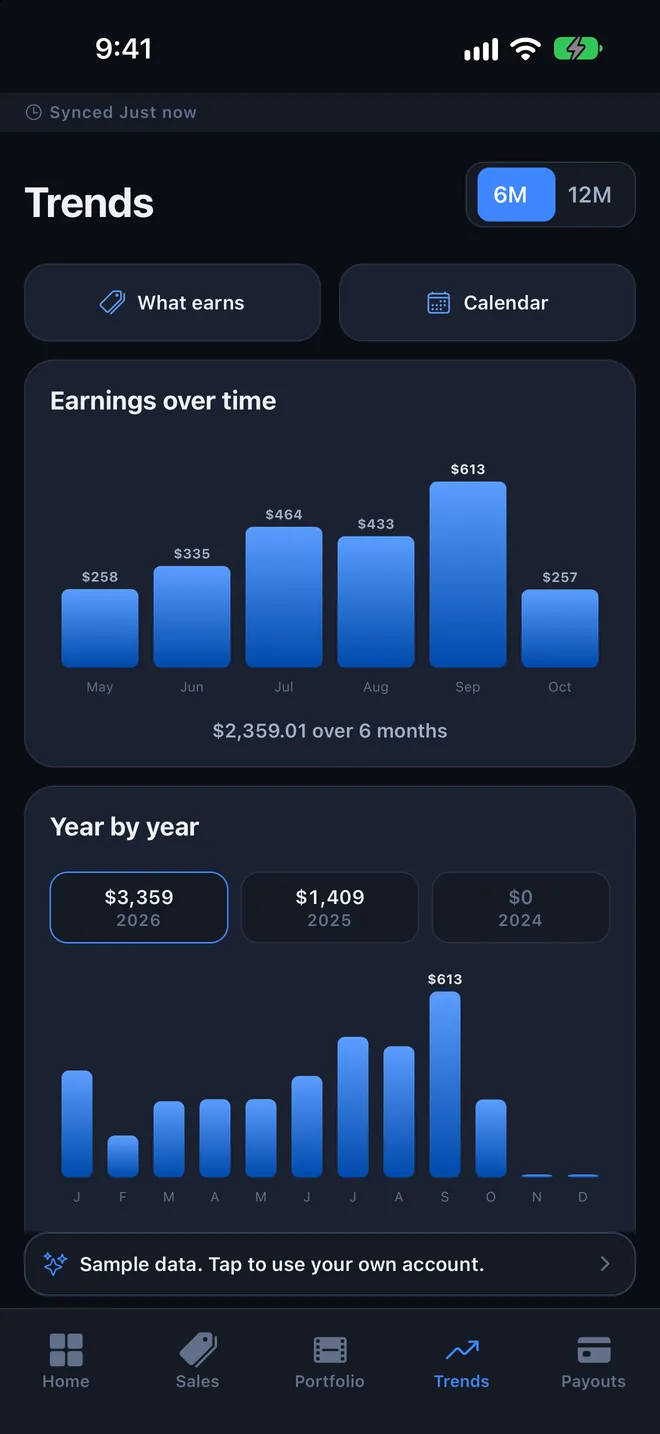
Good months and slow ones
Monthly and yearly totals side by side, and a calendar of your best days. Alerts for new sales are optional.
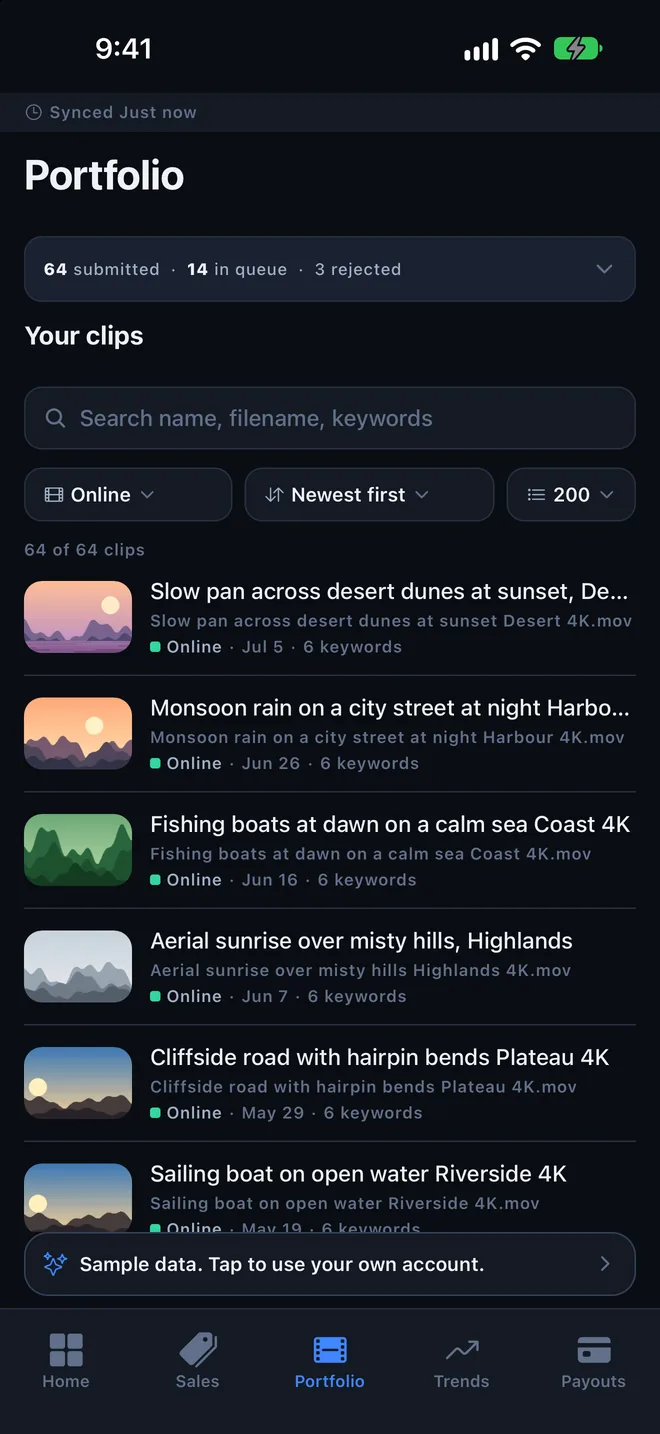
Your whole library
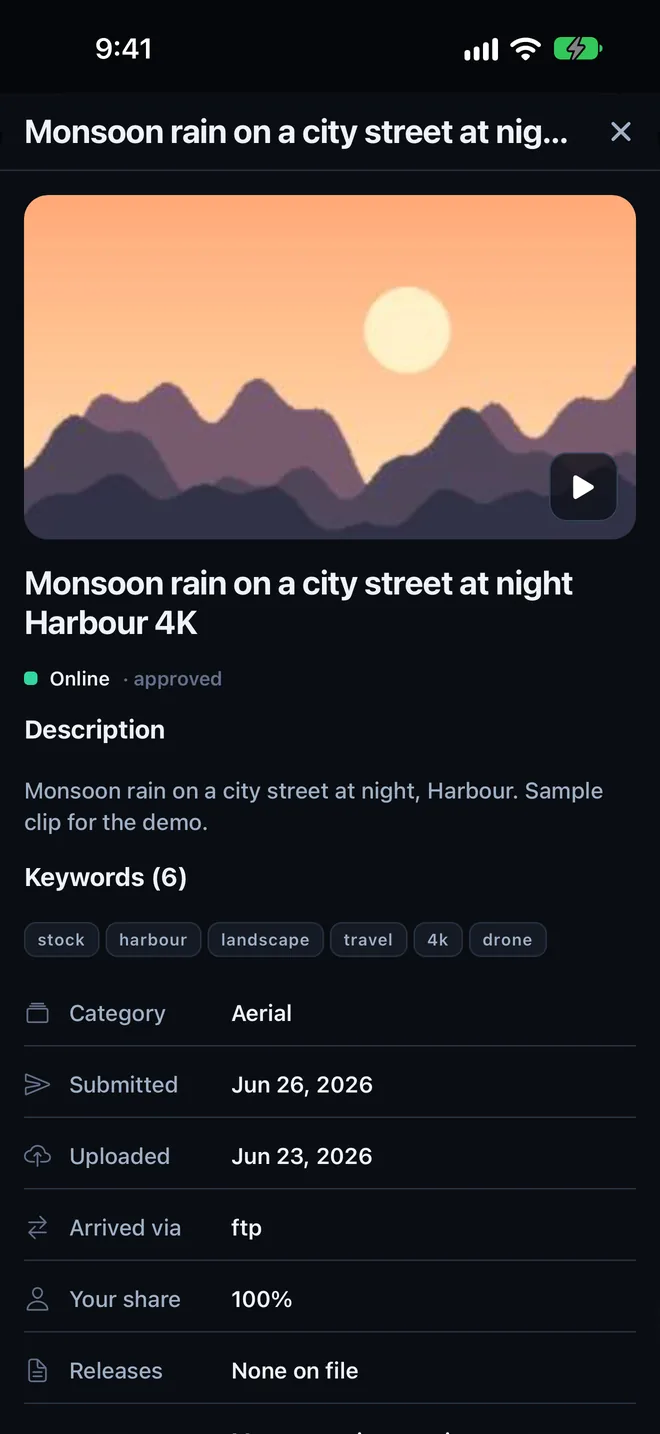
Search every clip you have uploaded and see where each one is in review. A rejected clip shows the reason beside it.
Your numbers stay on your phone.
There is no Payday server, so there is nowhere for your earnings to go. We could not see them if we wanted to.
| Data sent to us | NoneEverything the app saves stays on your iPhone. |
|---|---|
| Analytics, ads, tracking | NoneNothing is shared or sold, to anyone. |
| Your BlackBox password | Never seenYou sign in on BlackBox Global’s own page. The app keeps only the sign-in pass BlackBox hands back, in your phone’s keychain. |
| Offline or signed out | Still readableEverything already fetched stays on the phone. Sign in again when you want fresh numbers. |
The full policy is on the privacy page.
Have a look first.
Open the app and tap Try sample data. You get a made-up filmmaker’s account to explore. Nothing goes over the network while you do, and leaving sample mode clears it.
- Price
- Free
- Works on
- iPhone
- Staying signed in
- BlackBox keeps a sign-in for about three days. After that the app asks again before it fetches anything new. Saved numbers stay readable.
- One place at a time
- BlackBox allows one signed-in session, so signing in on your computer signs the app out, and the other way round.
- Help
- Support page, or tally@positivafilms.com